See every visitor. Feel every sale.Most visitors leave without buying. Win them back.
You pay for every visitor with ads, posts and SEO. StorePinger, the ecommerce analytics plugin for WordPress, shows who they are, which ad and city brings the money, and emails shoppers who left a cart until they finish the order.
What makes stores money
Four features that pay for the plugin in the first month
Most stores lose money in the same places: carts nobody follows up, ads nobody can measure, customers nobody emails again. StorePinger fixes all of them.
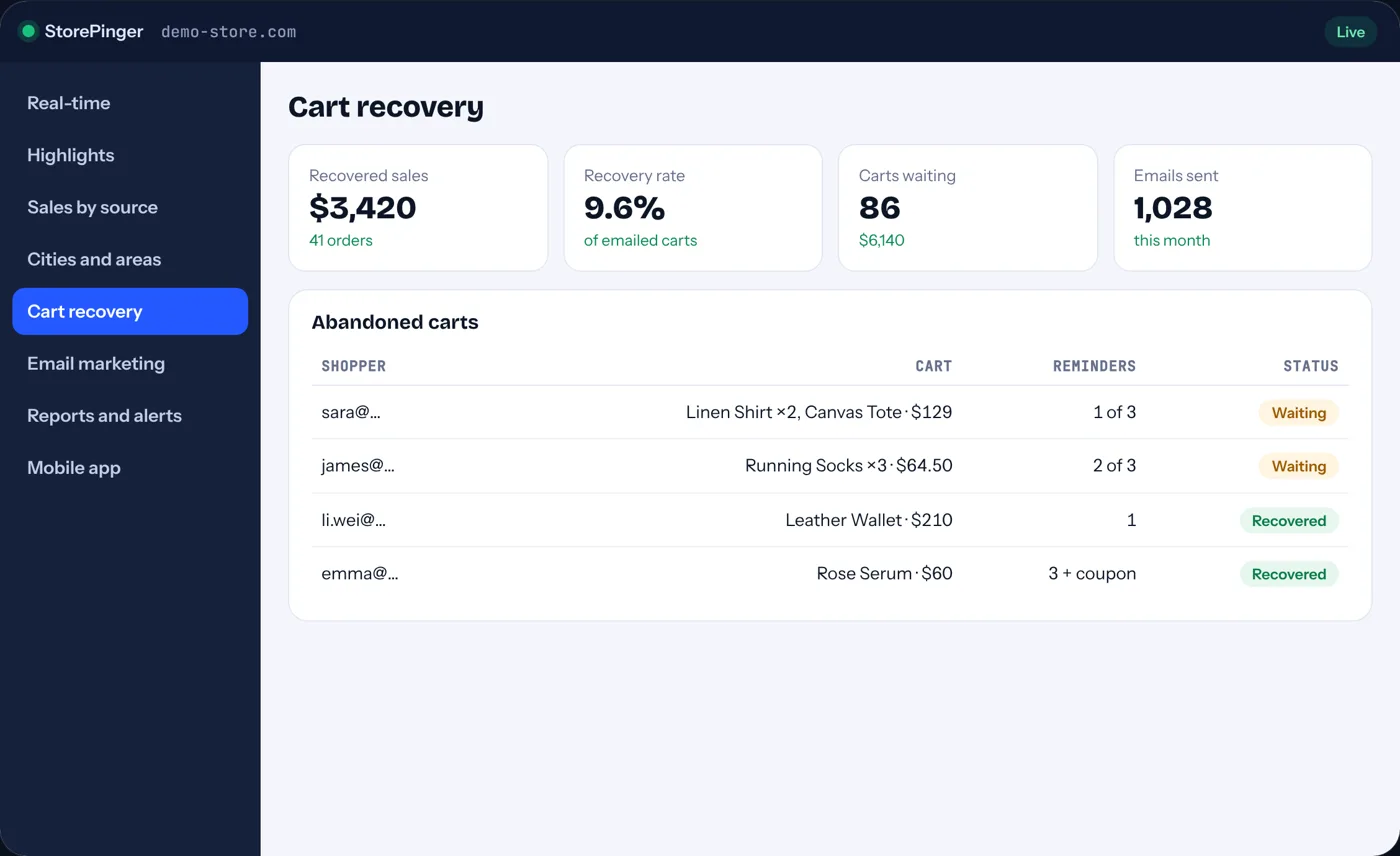
Abandoned cart recovery
Bring back the shopper who almost paid.
Why you need it: about 7 in 10 carts are abandoned. Without reminders, every one of them is a sale you already paid to win, and lost.
When a shopper types their email at checkout and leaves, three reminders go out in your store’s colors, with a coupon on the last one. One click restores the full cart.
- 3 reminders at 3 hours, 1 day and 3 days
- Coupon only on the last email
- Recovered revenue counted for you
Traffic sources and AI
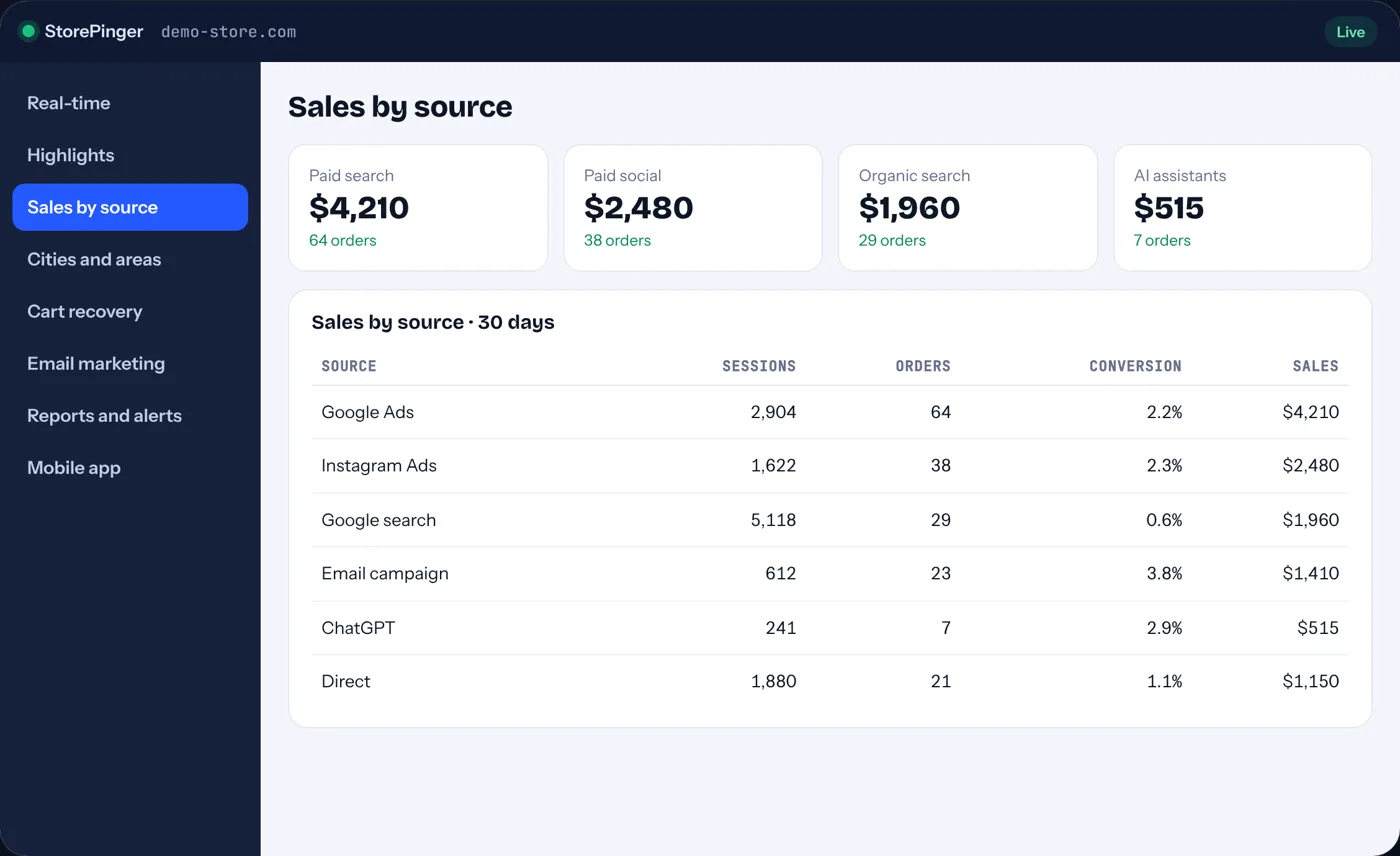
Know which source actually pays.
Why you need it: without sales by source you keep paying for the channel that clicks, not the one that sells.
Google Ads vs Google search, Facebook ads vs posts, email, and AI assistants like ChatGPT, Perplexity and Gemini, each tied to the orders it brought.
- Paid and organic kept apart
- ChatGPT and AI traffic named
- Sales by source from real orders
Mobile app
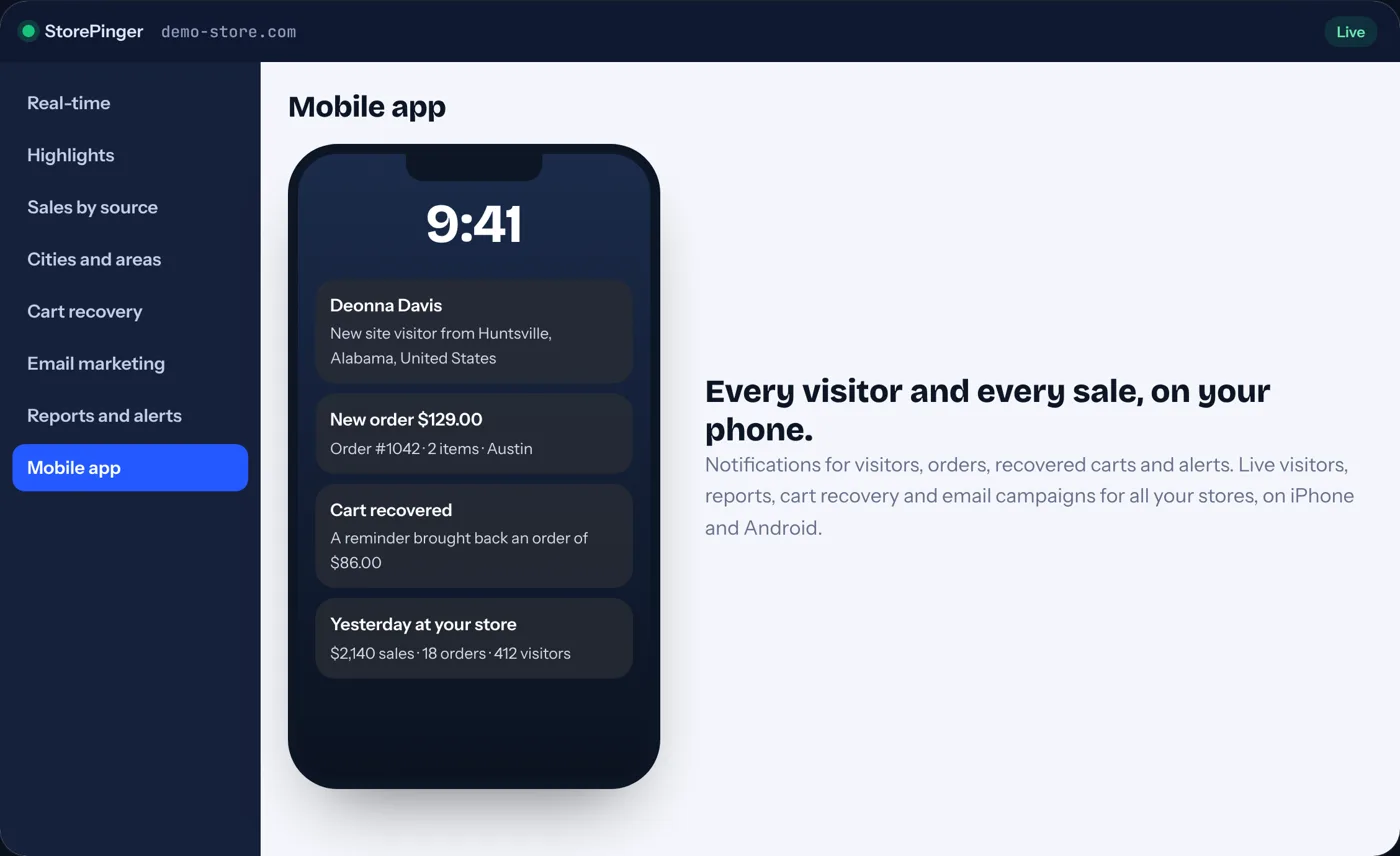
Your store in your pocket.
Why you need it: you can’t sit in front of a dashboard all day, but you still want to know when someone visits or buys.
The app for iPhone and Android sends a notification for every new visitor, with their name when they are a customer, and for every order. All your stores in one app.
- Visitor and order notifications
- Morning report and daily sales goal
- Widget and fingerprint lock
Email marketing
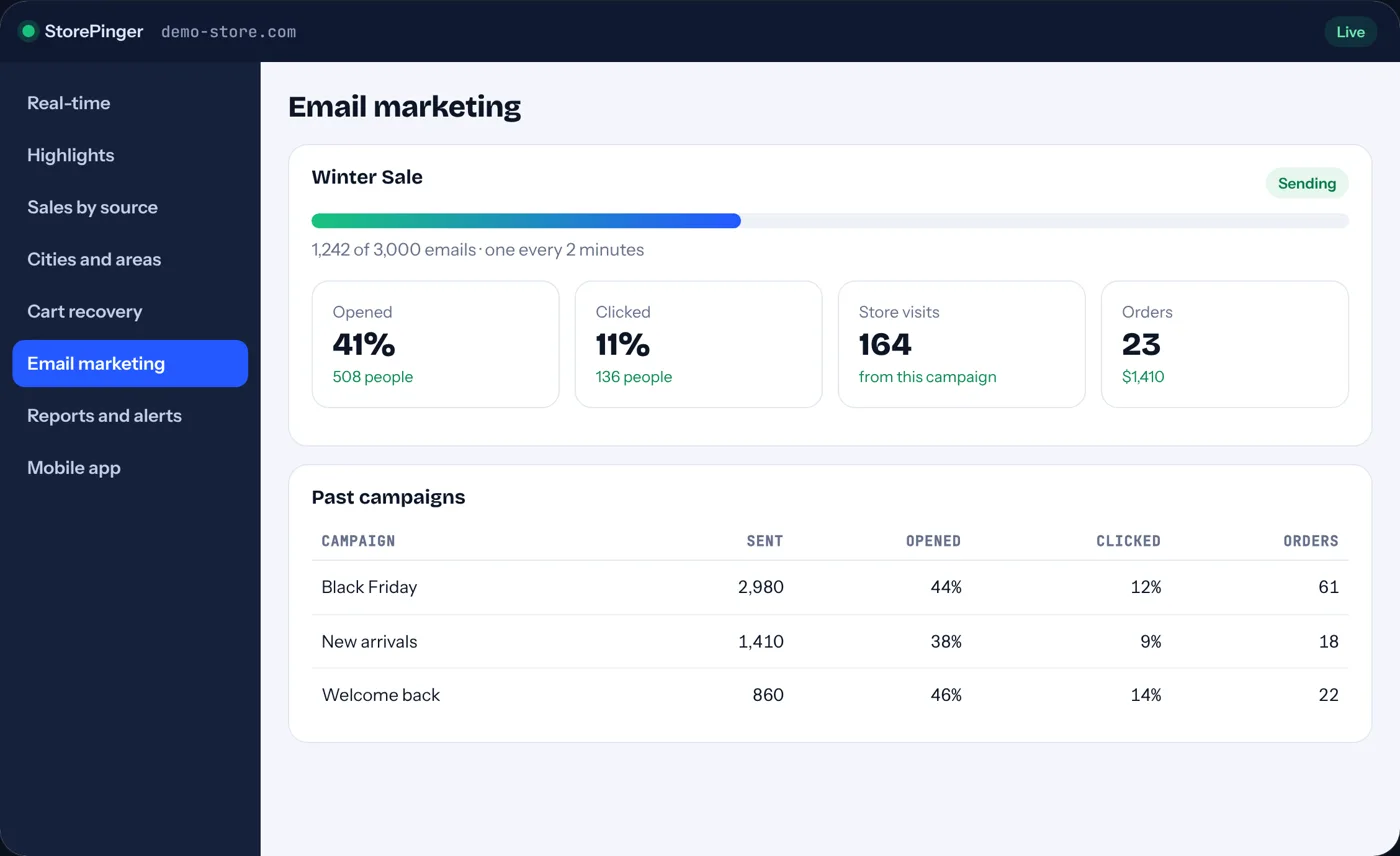
Sell again to people who already trust you.
Why you need it: your past customers are the cheapest sales you will ever make, and most stores never email them.
Paste a design from Canva, upload your list or import your customers, and send one email at a time from your own store. See the visits and orders every campaign brings.
- Bring your own HTML design
- Safe pace that reaches the inbox
- Orders counted per campaign
And everything else a store needs
The rest of your ecommerce analytics toolkit
Live visitors
Who is on your store, right now.
Why you need it: a shop owner can see the shop floor. Online, most owners can’t, and that is where sales slip away.
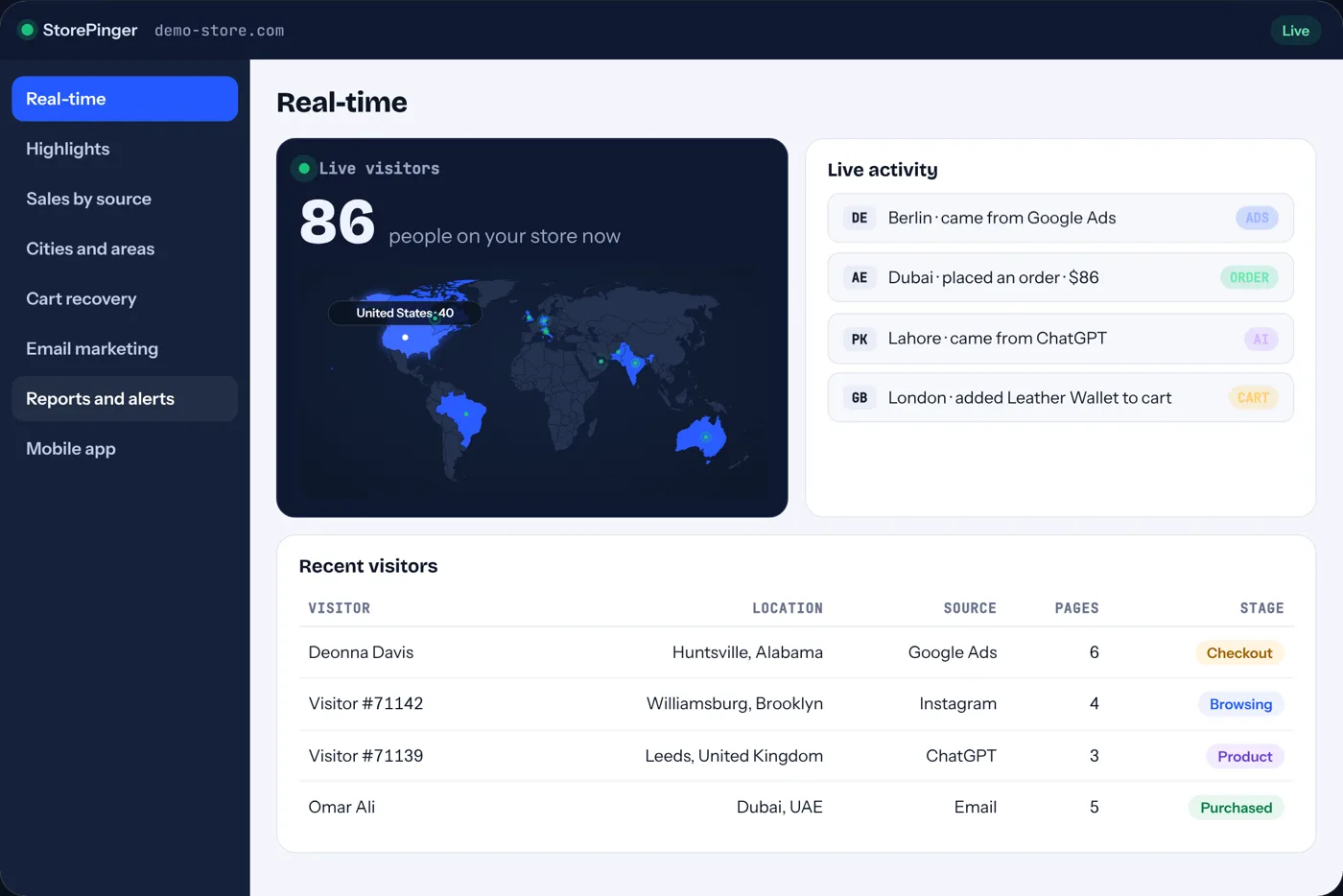
Every visitor on a world map, updated every second, with their city and area. Click anyone to see where they came from and every page they opened.
- Live count and map, every second
- City and area of every visit
- Full journey of each visitor
City analytics for ads
Spend where buyers live.
Why you need it: country targeting pays the same for a click from a city that buys and one that never does.
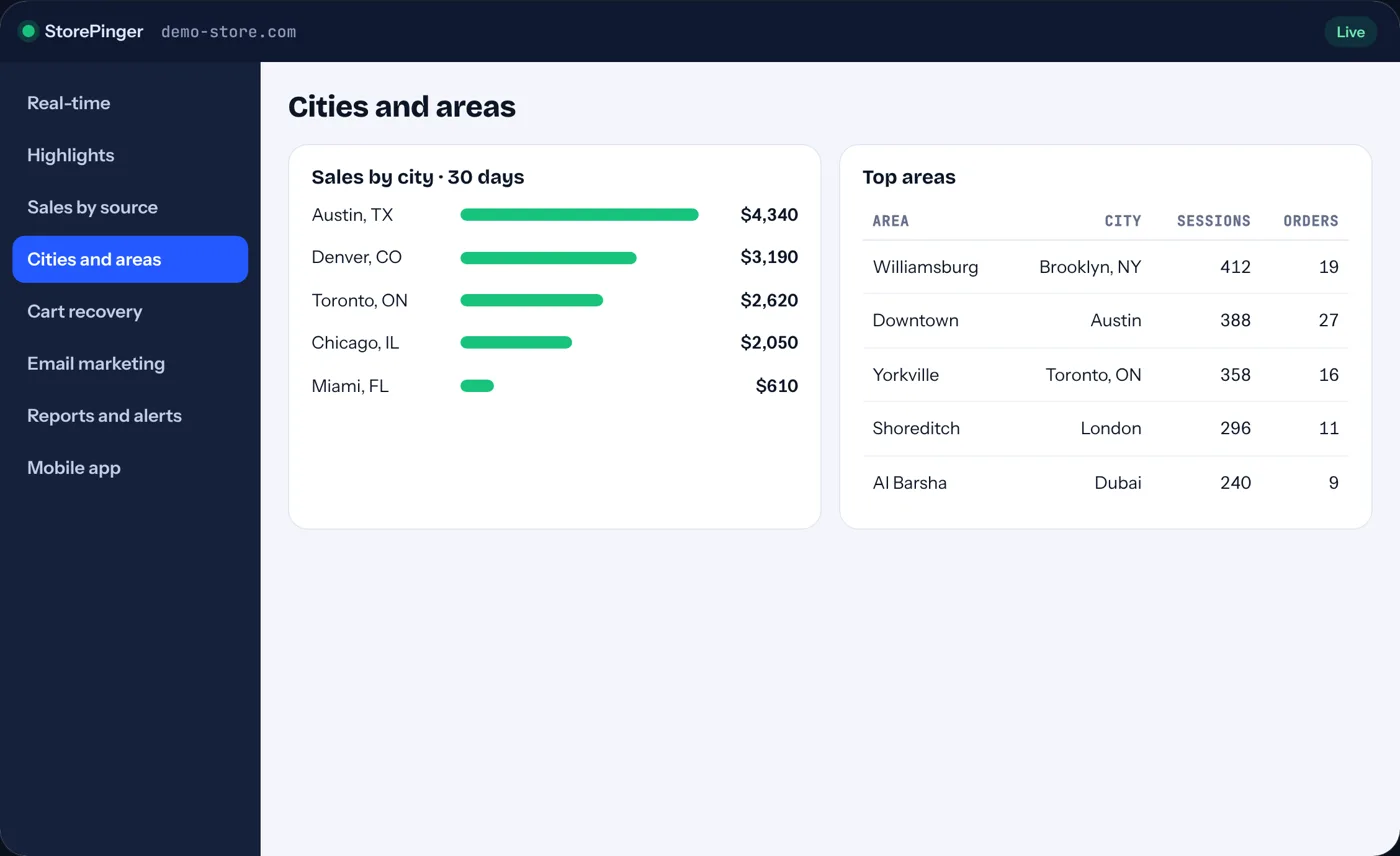
Orders, revenue and conversion rate for every city and area, from real orders. Export it and target your ads where customers actually buy.
- Sales by city and area
- Conversion rate per city
- One-click CSV for ad targeting
Conversion funnel
See exactly where shoppers drop off.
Why you need it: a small leak at checkout costs more than any ad campaign can bring back.
Product view, add to cart, checkout and purchase, step by step, with clicks, forms, site search and 404 errors that show what got in the way.
- Funnel by step
- Button clicks and forms
- Search and 404 reports
Session recordings
Watch why they leave.
Why you need it: numbers tell you where people leave. Only a recording shows you why.
Play real visits like a video: scrolls, taps and the moment a shopper gives up. Recordings stay on your own site and form fields are always hidden.
- Stored on your own site
- All form fields masked
- No effect on page speed
Payment links
Get paid for orders taken by phone or chat.
Why you need it: an order without a payment is a promise, and promises get forgotten.
Send a branded “Pay now” email for any pending or draft order in one click, from WordPress or from the app.
- Pending and draft orders
- Your store’s branding
- Sent from the app too
Hi Omar, your order is ready. Please complete the payment below.
Reports and alerts
Hear about problems before they cost you.
Why you need it: most stores find out about a broken checkout weeks later, when the month’s sales already fell.
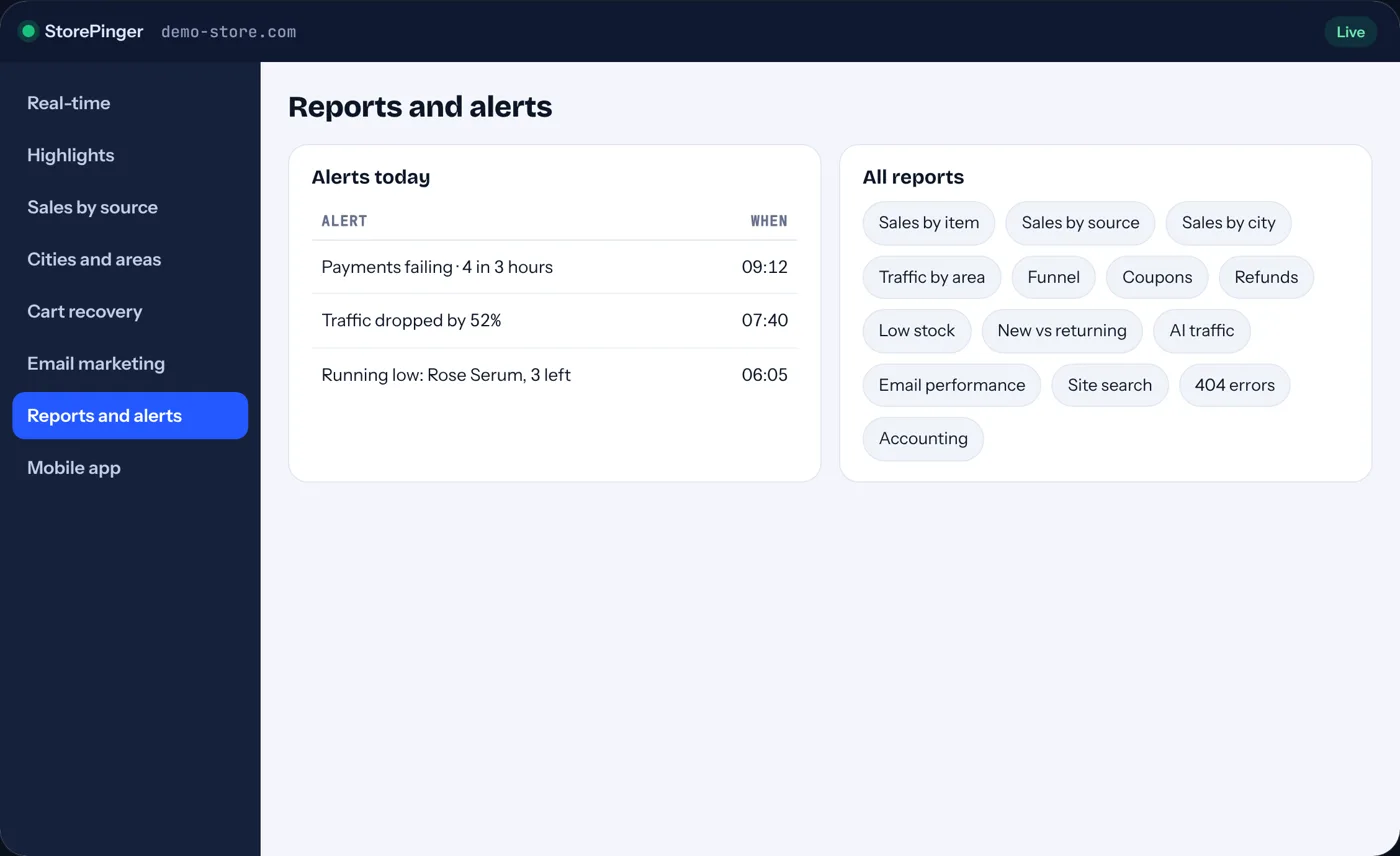
A morning report at the time you choose, store reports for sales, coupons, refunds and stock, and alerts when traffic drops, payments fail or a selling product runs low.
- Daily, weekly or monthly email report
- Checkout, traffic and stock alerts
- Every report exports to CSV
AI visibility
Get found by the assistants shoppers ask.
Why you need it: shoppers now ask ChatGPT what to buy. If you can’t see that traffic, you can’t grow it.
See which AI assistants send you visitors and orders and which AI crawlers read your pages, and keep an llms.txt file up to date automatically.
- AI visits and orders
- AI crawler visits by page
- llms.txt kept up to date
For agencies
Prove your work to every client.
Why you need it: clients renew when they can see what your work earned them.
Every feature on 35 client stores, reports with your logo, and one app for all of them.
- 35 client stores
- White-label reports and emails
- All stores in one app
Ecommerce analytics, explained
What is ecommerce analytics, and why does your store need it?
Ecommerce analytics is the habit of measuring what shoppers do on your store, from the first visit to the paid order, so you can spend money where it brings sales and fix what makes people leave. A normal website counts visitors. A store needs to know which of those visitors buy, how much, from where, and why the rest don't.
Conversion rate
The share of visits that end in an order. If 1,000 people visit and 20 buy, it's 2%. Raising it from 2% to 2.5% is 25% more sales from the same traffic, with no extra ad spend.
Sales by source
Which channel brought the buyers: Google, Facebook, email, ChatGPT or a link on another site. Without it, you keep paying for the channel that clicks, not the one that sells.
Average order value
What a typical order is worth. It tells you how much you can afford to spend to win a customer, and whether bundles or free-shipping thresholds are working.
Cart abandonment
Shoppers who add to cart and leave. About 7 in 10 carts are abandoned on average. These are your warmest leads, and most stores never contact them again.
Funnel drop-off
Where people leave: product page, cart or checkout. A big drop at checkout usually means a surprise cost, a broken field or a missing payment option.
Location
The countries, cities and areas your buyers live in. It decides where your ads, delivery promises and offers should go.
StorePinger measures all six for you, automatically, from the day you install it. No setup, no code, no Google account.
Two plugins in one
Analytics and cart recovery usually cost you twice.
Most stores run one plugin to measure and another to recover carts, plus a session recording service. StorePinger does all three in one place, for one yearly price.
| What you need | Typical setup | StorePinger |
|---|---|---|
| Live visitors with city, inside WordPress | Visitor count only, or a separate dashboard | Live feed, every second |
| Sales tied to source, city and device | Source per order only | Source, city, device and funnel |
| Google and Facebook ads vs organic | Often mixed together | Separated automatically |
| Traffic from ChatGPT, Perplexity, Gemini | Hidden in “referral” | Named and counted |
| Abandoned cart emails | A second plugin | Built in |
| Session recordings | An outside service | Built in, on your hosting |
| Payment links for pending orders | Manual invoices | One click |
Pricing
One recovered cart can pay for the whole year.
Simple yearly plans. Start free, upgrade when you want the full picture. Every paid plan includes updates and human support.
Free
See who is on your store right now.
- Live visitors, updated every second
- Visitors by country on a world map
- Today's visitors in your WordPress dashboard
- Mobile app with visitor notifications
- Email marketing: 100 contacts, 10 emails a day
- Last 24 hours of data
Pro
Everything StorePinger does, for your store.
About $4.17 a month, billed yearly
- 1 website, every feature
- Every visitor with city, region and area
- Sales by source: ads vs organic, email, ChatGPT and AI tools
- Abandoned cart recovery emails with coupon
- Email marketing: 2,000 contacts, 5 templates
- Session recordings, funnel, clicks and forms
- Sales by city for ad targeting
- Store reports, email reports and alerts
- Payment links, AI visibility and llms.txt
- Mobile app: notifications, morning report, daily goal
- 90 days of history
- Add more stores: +$24.99 a year per site, same limits (needs an active Pro license)
Agency
For agencies and owners running many stores.
About $28.50 per store per year
- Everything in Pro, plus
- 35 websites
- 1 year of history
- Email marketing: 10,000 contacts per site, 50 templates, fastest sending
- White-label reports and emails with your logo
- Recordings kept 2, 7, 15 or 30 days
- Insights
- Priority support
Prices in USD, billed yearly. Cancel any time. 14-day money-back guarantee. Requires WordPress 7.1+ and PHP 8.3+.
Try it with confidence
14-day money-back guarantee
Install StorePinger, watch your own visitors, turn on cart recovery and send a campaign. If it isn’t right for your store, ask within 14 days and get every cent back.
Technical information
Built, tested and updated every week
| Current version | 1.3.1 |
| Last updated | 31 October 2026 |
| First release | 1 October 2026 (beta) |
| WordPress | 7.1 or newer, tested up to 7.2 |
| PHP | 8.3 or newer |
| Ecommerce HPOS | Compatible |
| Checkout blocks | Compatible |
| Mobile app | iPhone and Android |
What’s new
1.3.131 October 2026
- ImprovedDate ranges and email limits now match your plan.
1.3.031 October 2026
- NewAI Assistant preview: ask questions about your store in plain words (coming soon).
- NewPro now includes every feature, with extra sites available as an add-on.
- ImprovedClearer plan names across the dashboard.
1.2.130 October 2026
- ImprovedCleaner dashboard that uses the WordPress menu.
- ImprovedPlugin name and branding shown the same everywhere.
1.2.029 October 2026
- NewRedesigned dashboard: bigger numbers, a live card and cleaner reports.
- ImprovedSettings arranged in three columns you can drag and drop.
- FixedButtons in the mobile app settings no longer overlap.
1.1.027 October 2026
- NewEmail marketing: templates, contact lists, safe sending and orders per campaign.
- NewAreas inside cities, with Top areas and Traffic by Area.
- NewNew plugin features now appear in the mobile app automatically.
1.0.924 October 2026
- NewMobile app for iPhone and Android: connect with a QR code.
- NewNotifications for visitors, orders, carts, stock and checkout problems.
- NewChoose the time of your email report.
- ImprovedReal-time: last 30 minutes next to recent visitors.
1.0.821 October 2026
- NewCity and region for every visit, and Sales by City for ad targeting.
- NewMonth-start reminder for carts left last month.
1.0.718 October 2026
- NewAbandoned cart recovery: three reminder emails with a coupon on the last one.
- NewPayment links for pending and draft orders.
- ImprovedStore emails use your store name and colors.
1.0.615 October 2026
- NewSession recordings stored on your own site, with a new player.
- ImprovedRecordings load after the page has finished loading.
- ImprovedMore reliable automatic updates.
1.0.512 October 2026
- NewCustom date ranges, email reports, alerts and white-label reports.
- NewStore, customer, inventory, search, 404 and blog reports.
- FixedSales now include orders with custom statuses such as Shipped.
1.0.49 October 2026
- NewConversion funnel, button clicks, forms and new vs returning visitors.
- ImprovedReal-time pages update every second without refreshing.
1.0.36 October 2026
- NewStore sales, orders, top products and sales by source.
- FixedVisitors now appear right away on sites with caching plugins.
1.0.23 October 2026
- NewTraffic sources: ads vs organic, email and AI tools like ChatGPT.
- NewPages, entry and exit pages, devices and time on site.
- FixedVisitors blocked by ad blockers are counted again.
1.0.11 October 2026
- NewBeta release: live visitors, world map and today’s visitors in your WordPress dashboard.
FAQ
Questions store owners ask
Does StorePinger work with my ecommerce store?
Yes. It works with WooCommerce on WordPress 7.1 or newer and PHP 8.3 or newer, with the classic and the block checkout, and with order statuses added by other plugins such as “Shipped” or “Delivered”.
Will it slow down my store?
No. The tracker is a few kilobytes, and the session recorder only loads after your page has completely finished loading. It also works with LiteSpeed Cache, WP Rocket and Autoptimize.
Where is my data stored?
In your own WordPress database and hosting. Recordings are saved in your uploads folder. Nothing about your visitors is sent to StorePinger servers.
Do I still need Google Analytics?
No. StorePinger gives you live visitors, sources, sales and funnels on its own. You can keep Google Analytics running next to it if you want to.
My store already shows order attribution. Why do I need this?
Built-in order attribution shows a source for each order. StorePinger adds what happens before the order: every visit, city, device, AI sources, the funnel, recordings, and the carts that never became orders, plus emails that bring them back.
Can I try it before paying?
Yes. The free plan shows live visitors and countries forever. Paid plans come with a 14-day money-back guarantee.
What is ecommerce analytics?
Measuring what shoppers do on your store, from the first visit to the paid order: conversion rate, sales by source, average order value, abandoned carts, funnel drop-off and where buyers live. It shows where to spend and what to fix.
What is the best ecommerce analytics plugin for WordPress?
The one that shows sales, not only visits. Look for revenue from real orders, sales by source, a funnel, abandoned carts and data stored on your own site. StorePinger does all of that and adds cart recovery, email campaigns and a mobile app.
Is there a mobile app?
Yes, for iPhone and Android. It shows live visitors, sales and reports, and sends notifications for visitors and orders.
Someone is on your store right now.
Find out who they are, where they came from and how to turn them into a customer.